Nodes
DeepToImage
DeepToImage — flatten deep samples into a 2D image.
| Node | DeepToImage |
|---|---|
| Type id | OC_N_deeptoimage |
| Menu | Deep › DeepToImage |
| Nuke class | DeepToImage2 (also imports DeepToImage) |
| Code | opencomp_core/nodes/deep/deep_nodes.py |
Inputs and outputs
| Port | Name | Type |
|---|---|---|
| input 0 | Deep | image |
| output 0 | Image | image |
Knobs
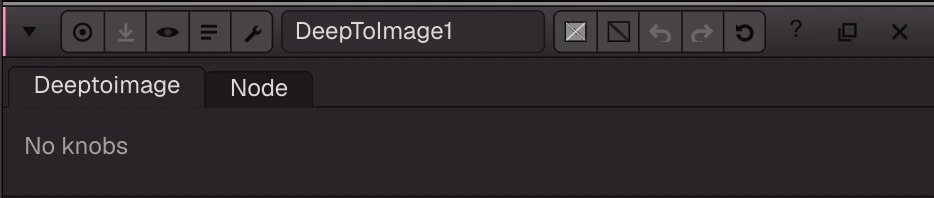
Knobs from the node definition (this node has no panel layout in the app yet).
| Knob | Label | Type | Default | Range / values | Nuke knob | Description |
|---|---|---|---|---|---|---|
gl_color | Viewer Controls Color | float ×3 | 0, 0, 0 | 0 to 1 | ||
postage_stamp_frame | Static Frame | int | 1 | -2147483648 to 2147483647 | ||
lifetimeStart | Lifetime Start | int | 0 | -2147483648 to 2147483647 | ||
lifetimeEnd | Lifetime End | int | 100 | -2147483648 to 2147483647 | ||
useLifetime | Use Lifetime | boolean | false | |||
cached | Cached | boolean | false | |||
bookmark | Bookmark | boolean | false | |||
dope_sheet | Dope Sheet | boolean | false | |||
clone_group | Clone Group | string | ||||
link_source | Link Source | string | ||||
link_overrides | Link Overrides | string | ||||
split_views | Split Views | string |
Nuke equivalent
Imports from and exports to Nuke's DeepToImage2 (DeepToImage also import to it).
Nuke knobs not in this list import as a knob of the same name, or are kept unchanged for export. See .nk import.
Examples
Open these from Help › Examples…, or from the ? menu in this node's Properties panel.
- DeepMerge four deep passes (
examples/deep/deep_merge.oink): Weta's forest scene as four deep passes (Balls, Ground, Leaves, Trunks). DeepMerge combines the samples by depth, so the passes hold each other out with no mattes; DeepToImage flattens the result. Compare with LowResLeftView/composited.exr, the flat reference. - Read a deep EXR (
examples/io/read_deep.oink): One deep pass (Weta's Balls, 1024x576 left view) read with DeepRead and flattened with DeepToImage. Each pixel holds many samples with their own depth; DeepToImage composites them front to back.